Generating high-quality images and videos using AI is often a game of trial and error. Whether you are building concept art for a game, generating marketing assets, producing AI video clips, or generating animated sprite sheets, the need for precise, structured prompting is universal. In the past, creators would just type conversational sentences and hope for the best, a process that often led to unpredictable and frustrating results.
In this guide, we explore how to optimize your generations using strict, proven prompting guidelines. You will learn to structure your text, remove ambiguity, and direct AI models with confidence to get exactly what you envision in minutes.
For more generative AI guidelines read our Common Misconceptions List.
Subject Clarity and Structure
Before adding complex styles, it is essential to describe your core subject accurately. AI models parse text sequentially and can easily get confused by complex grammar. A solid foundation is key.
Avoid Pronoun Ambiguity
AI struggles with pronoun resolution. If you write: “A dog with a big tail. It is brown,” the AI doesn't know what is brown. The dog, or the tail?
Avoid: "A dog with a big tail. It is brown."
Use: "A brown dog with a big tail."
Describe the Scene in the Present Tense
When prompting, be descriptive. Describe the scene as if it’s already there and present. Do not have a conversation with the AI. This is because during training, the images that models are trained on are accompanied by descriptions of what is in the image so the model in training knows what its consuming. By writing our prompts in a way that is similar to those descriptions, we ensure the output matches what we want more closely.
Avoid: "I want a brown dog with a big tail."
Use: "There is a brown dog with a big tail."
Front-Load Your Most Important Details
AI models pay the most attention to the first few words of a prompt. Always put your main subject at the very beginning.
Avoid: "A dense, foggy forest with a futuristic sports car parked inside it."
Use: "A futuristic sports car parked in a dense, foggy forest."
Controlling Nuance and Style
Once your subject is established, you need to tell the AI exactly how to render it. This is where strong language and specific terminology become your best tools.
Use Strong, Absolute Language
AI follows your exact meaning. If you use weak language like “should,” it thinks the feature is optional.
Avoid: "The dog should have a big tail."
Use: "The dog must have a big tail."
Leverage Photographic & Stylistic Mediums
Don't just say "make it look good." Use specific terms that define the medium.
Use: "depth of field blur, closeup, golden hour lighting, cinematic."
Use: "2d pixel art style, flat colors, retro futuristic."
Prioritize Positive Prompting Over Negative Constraints
Telling the AI what
not to do often accidentally introduces that unwanted element. Instead, describe exactly what you
do want.
Avoid: "don't cut off the image at the waist."
Use: "full body shot, wearing bright red sneakers."
Advanced Prompts (References & Video)
When using reference images or generating video, the rules shift to account for baseline context and motion.
Distinguish Between the Reference and Your Goal
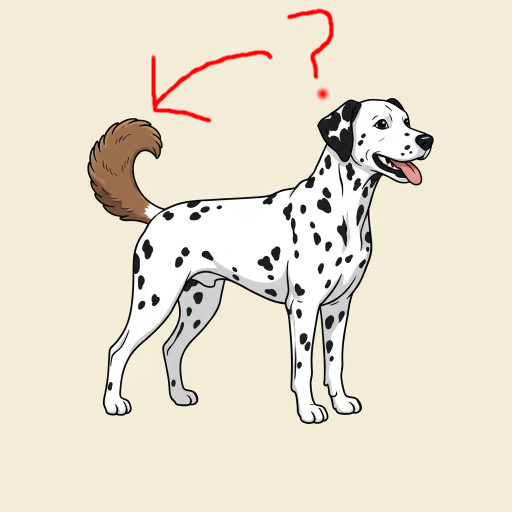
For generations using a reference or sketch, distinguish between what
is in the reference vs. what you
want.
Use: “Generate a dog similar to this reference image, but with a big tail.”
Keep Video Motion Prompts Directional and Simple
When prompting video AI, complex compound actions (e.g., "The man runs, jumps over a fence, turns around, and smiles") will cause the model to morph and break by doing everything at once. Keep motion prompts singular, simple, and in order.
Avoid: "The man runs, jumps over a fence, turns around, and smiles."
Use: "The man runs forward in slow motion. Next, he jumps over the fence."
You have successfully learned the core guidelines for AI text-to-image and text-to-video prompting. By treating the AI as an entity that requires strict, unambiguous, and front-loaded instructions, you will drastically reduce generation errors and build a much more reliable creative workflow.