
AI Animation Generator
Create smooth, loopable game animations from a single image or text prompt. Walk cycles, attacks, idle breathing, custom actions. Game-engine ready in seconds.
No credit card required
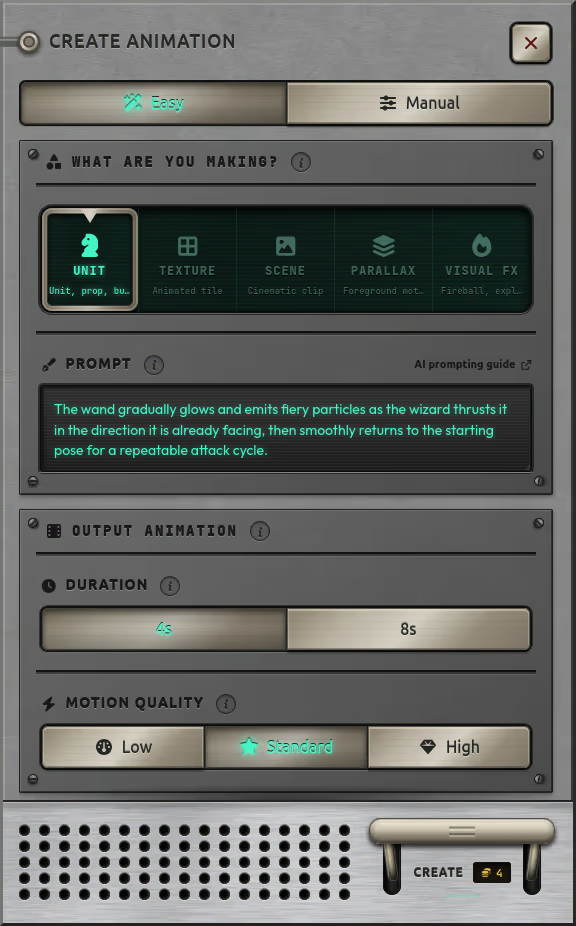
Turn any image into motion
Upload an existing sprite or generate one with AI. Then describe the animation you want and watch it come to life.

Loops that land, alpha that stays clean
Seamless Loops for Game Engines
Every animation is generated to loop seamlessly — the last frame transitions naturally back to the first. Perfect for idle animations, walk cycles, and ambient effects.
- Play on repeat without visible jumps
- Proportions, style, and colors stay consistent in every frame
Transparency Preserved Through Every Frame
Start with a transparent-background image and the animation maintains that transparency throughout, ready to composite over any game background.
- Chroma-key pipeline keeps alpha clean in every frame
- Export directly as a sprite sheet for your game engine
What you can animate
Walk Cycles
8-directional locomotion for characters, NPCs, and enemies
Attacks
Sword swings, magic casts, ranged shots, and combo sequences
Idle & Breathing
Subtle motion for characters standing still, hovering, or floating
Effects & VFX
Flames, explosions, sparkles, smoke, and environmental particles
Custom Actions
Describe any motion in natural language and the AI creates it
True motion, not tweening
This is not puppet-style animation that just moves parts around. The AI generates true frame-by-frame motion where the character actually deforms, rotates, and moves naturally.
Every frame is a complete re-render with coherent physics and form. The result looks hand-animated, not programmatically warped.
Review in the Animation Editor
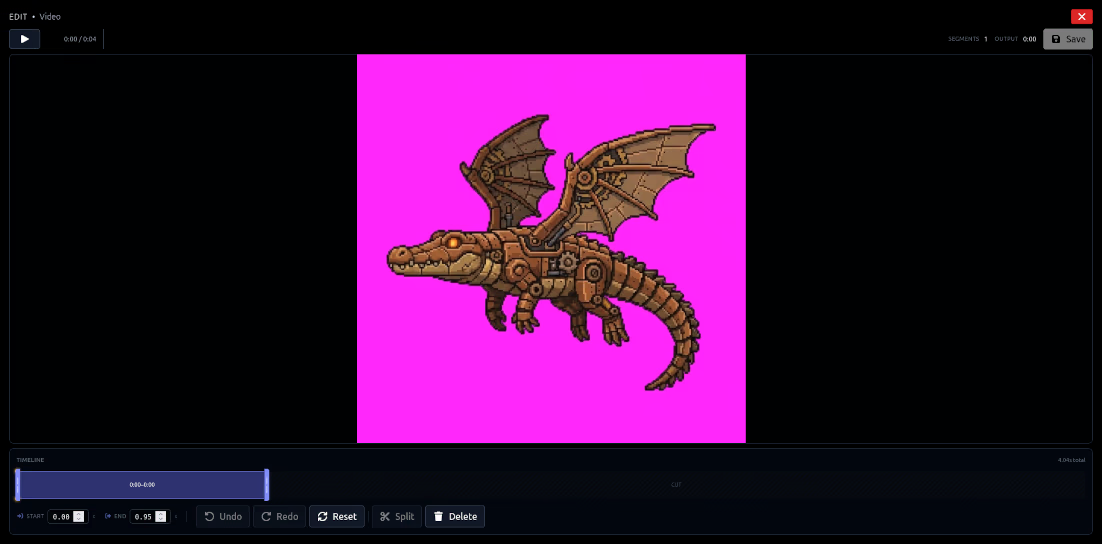
Once your animation is generated, review it in the built-in video editor. Scrub through frames, check the loop point, adjust playback speed, and preview exactly how it will look in-game before exporting.
Trim the start and end to get the timing exactly right
Export directly to a sprite sheet. No need to download, open in another tool, and re-import
Fits into your workflow
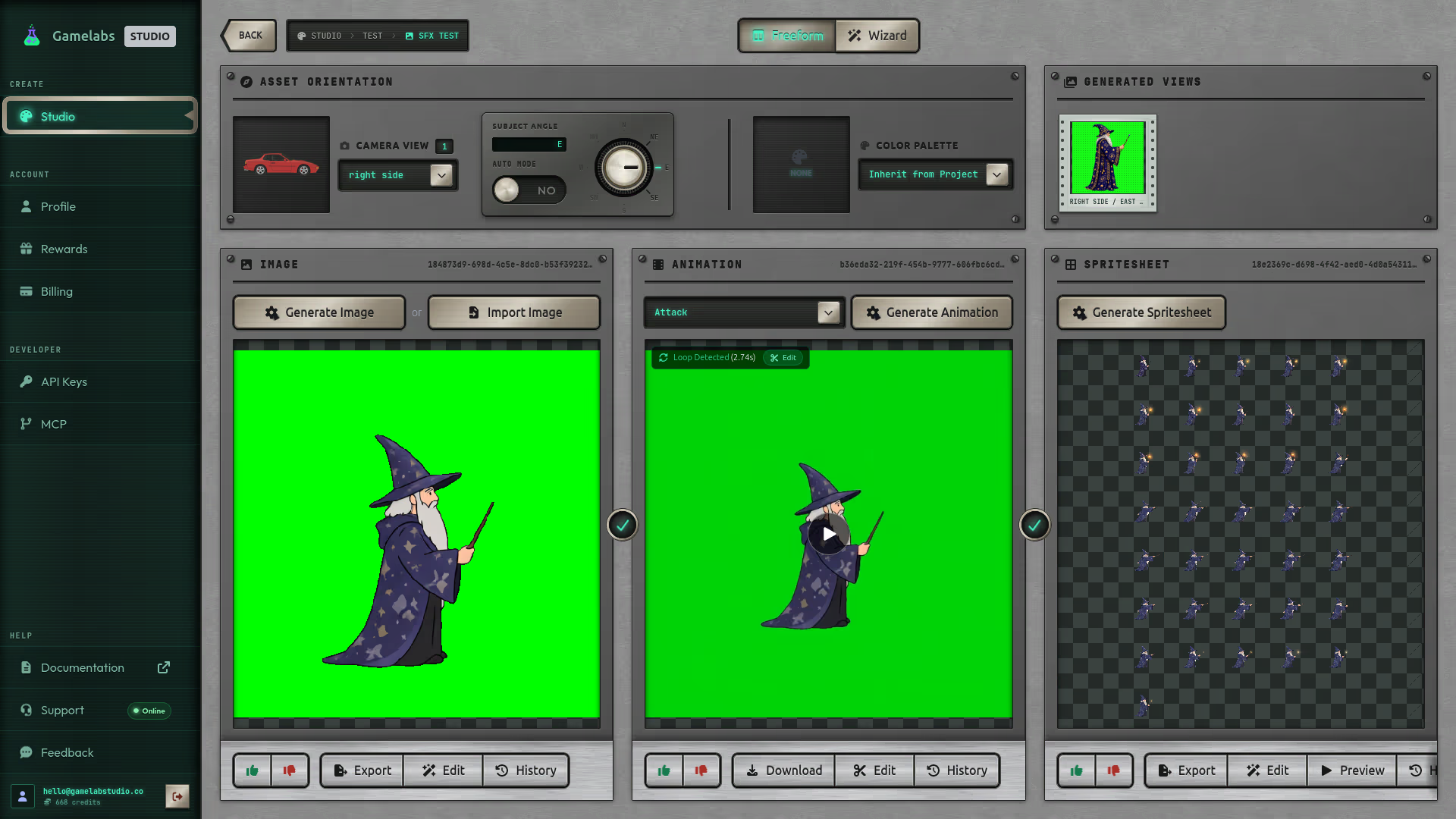
Use the web studio for a visual experience, or generate animations programmatically. The REST API and MCP integration let you create animations directly from Cursor, VS Code, or Claude without leaving your editor.
Web Studio
Visual interface with real-time preview and one-click export
REST API
Programmatic generation for CI/CD pipelines and batch workflows
MCP Integration
Generate from Cursor, VS Code, Claude Desktop, and any MCP client
Part of the full pipeline
Animation is the middle step. Start from artwork, animate it, then export as a sprite sheet.
Generate
AI creates your base artwork
Edit & Refine
Touch up with the image editor
Animate
True frame-by-frame motion
Sprite Sheet
Export frames for your engine
Start animating with AI
Generate your first game animation in under a minute. No credit card needed.
No credit card required · 20 free credits