AI Sprite Sheet Generator
Gamelabs Studio's AI sprite sheet generator turns characters and artwork into transparent, engine-ready sprite sheets for Unity, Godot, and any 2D game engine.
No credit card required
From prompt to sprite sheet in 3 steps
Describe your character, animate it, and export a sprite sheet. One connected production line.
Your base artwork

Start with a text prompt or a reference image. The AI generates your character, item, or asset in any art style with a transparent background.
- Any art style: pixel, cartoon, photorealistic, etc
- Chroma key backgrounds by default
- Multi-angle consistency for character sheets
Bring it to life with AI
Turn your static image into a smooth, loopable animation. Describe the action you want: walk cycle, attack swing, idle breathing, or any custom movement.
- Loopable animations by default
- Preserves transparency through every frame
- Any action: walk, attack, idle, jump, fly
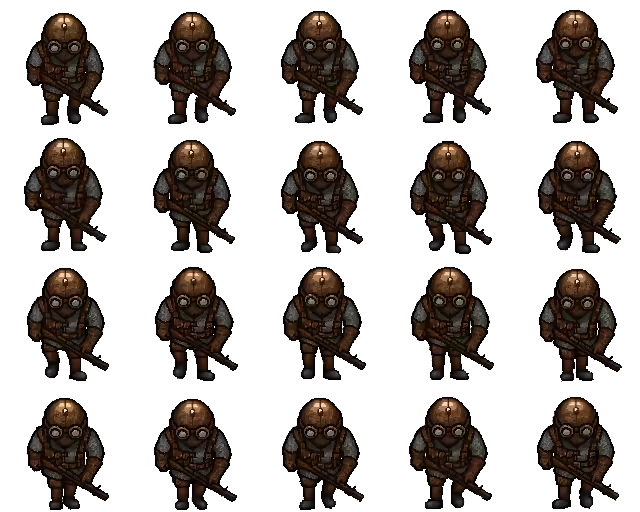
As a sprite sheet
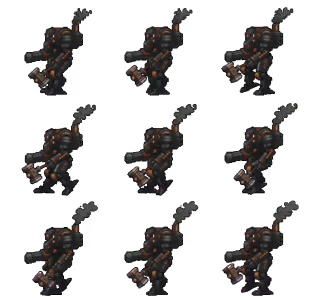
Pack your animation frames into a sprite sheet. The output is a transparent PNG atlas ready to drop into Unity, Godot, GameMaker, Phaser, and more.
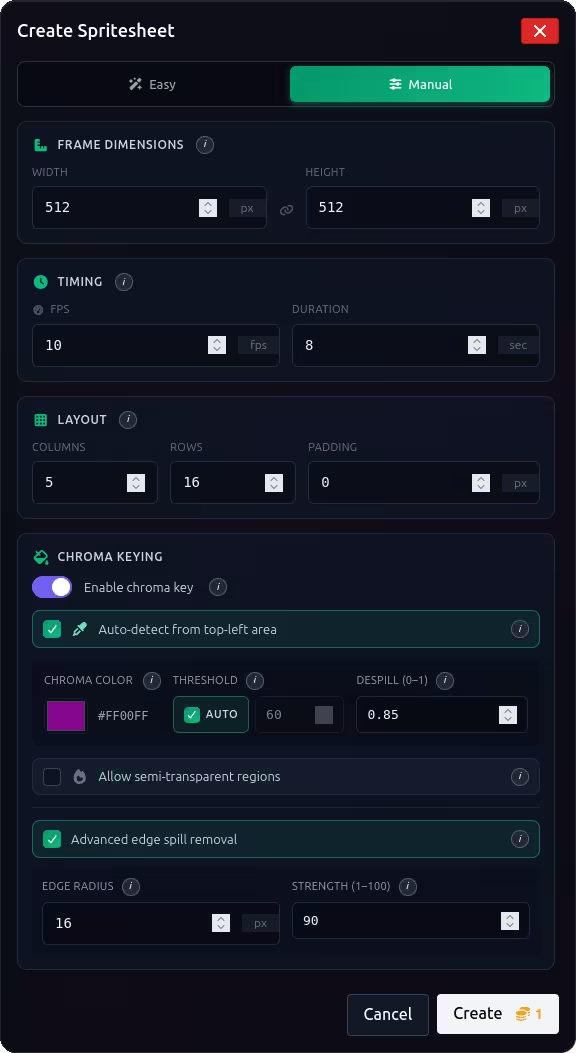
- Configurable rows, columns, and padding
- Custom FPS: 8, 12, 24, or 60
- Clean alpha channel, no chroma artifacts
Special effects That feel like magic
Competing AI sprite sheet tools merely remove the background. Gamelabs Studio uses advanced algorithms, preserving the semi-transparent pixels that make effects feel realistic.
 Gamelabs Studio True translucency Gamelabs Studio
Full control over your export
The spritesheet dialog gives you precise control over every parameter. Preview the output before exporting and see exactly how your frames will be arranged in the final PNG.
Every feature designed to ship sprites faster
End-to-End Transparency
Our chroma-key pipeline handles backgrounds at every stage, from generation to export.
- Transparency preserved frame by frame through animation
- Final spritesheet exports with a clean alpha channel
- Minimal green-screen residue, no halo artifacts
Any Frame Rate
Match your game's target framerate exactly, from retro-style to butter-smooth.
Flexible Grid Layout
Arrange your atlas exactly how your engine expects it.
- Custom rows and columns
- Padding between frames for pixel-perfect slicing
Works with Any Engine
Exports as a standard PNG atlas that drops straight into your importer.
Sprite sheet examples
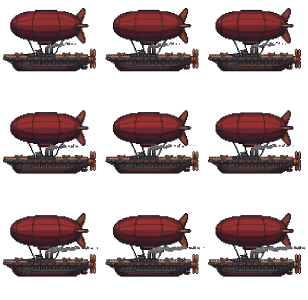
Real outputs from the generator. Every example below was created from a text prompt.
AI sprite sheet generator FAQ
Common questions about generating, animating, and exporting game-ready sprite sheets.
What is an AI spritesheet generator?
An AI spritesheet generator uses AI to create or animate game assets and arrange the resulting animation frames into a sprite sheet. Gamelabs Studio generates the artwork, creates the animation, removes the background, and exports the frames as a transparent PNG sprite sheet.
Can AI generate spritesheets?
Yes. Gamelabs Studio can generate a character from a text prompt or reference image, animate actions such as walking, attacking, jumping, flying, or idling, and export the resulting frames as a sprite sheet.
Can I create sprite sheets from an existing image?
Yes. Upload an existing character or game asset as a reference, animate it using AI, and export the animation as a sprite sheet.
Does the AI sprite sheet generator support pixel art?
Yes. Gamelabs Studio supports pixel art as well as cartoon, hand-painted, isometric, photorealistic, and other styles.
Which animations can I generate?
You can create any custom actions described in natural language, and walk and run cycles, attacks, jumps, idle animations, flying motion.
Do sprite sheets have transparent backgrounds?
Yes. Gamelabs Studio removes the background and exports a transparent PNG sprite sheet with a clean alpha channel, ready to use in a game engine.
Can I control the sprite sheet layout and frame rate?
Yes. Choose the FPS, number of rows and columns, and padding between frames so the exported sprite sheet matches your game engine and animation setup.
Which game engines support the exported sprite sheets?
The generator exports standard PNG sprite sheets that work with Unity, Godot, Unreal Engine, GameMaker, Phaser, and other engines that support sprite atlases.
Can I use the generated sprite sheets commercially?
Yes. You can use sprite sheets generated with Gamelabs Studio in commercial games, apps, and other projects without attribution.
Part of the full pipeline
Sprite sheet export is the final step. Generate artwork, animate it, then export frames.
Generate
AI creates your base artwork
Edit & Refine
Touch up with the image editor
Animate
True frame-by-frame motion
Sprite Sheet
Export frames for your engine
Start generating sprite sheets
Create your first AI spritesheet in under a minute. No credit card needed.
No credit card required · 20 free credits