Image Editor Overview
Open, navigate, save, and export image or sprite-sheet content.
What opens in the Image Editor
Still images and generated sprite sheets use the same Image Editor. Open it from the Edit action on an Image card or Sprite Sheet card.
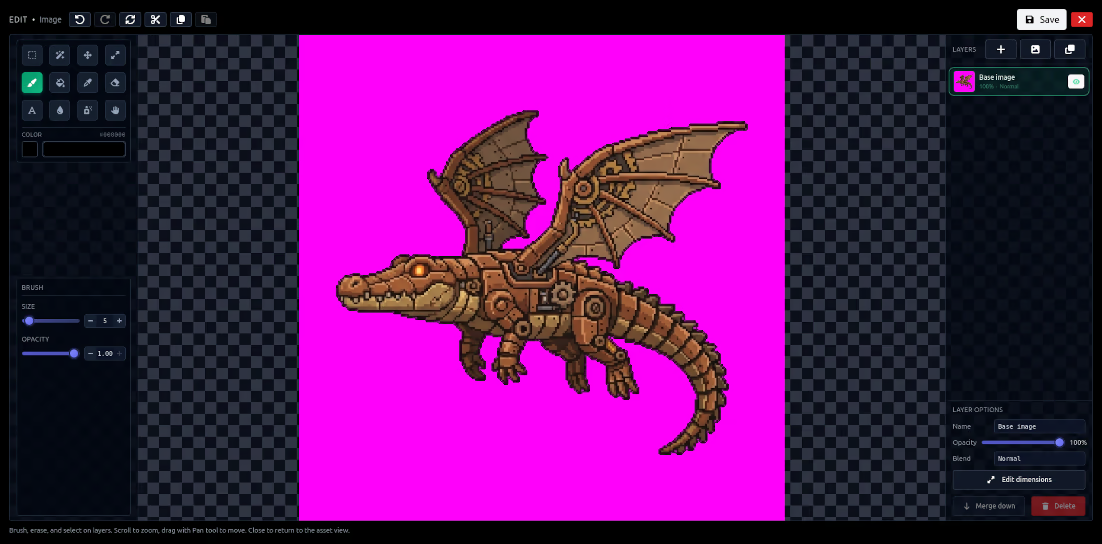
Workspace
The center canvas shows the current document. Tool controls change with the selected tool. Layers control visibility, order, and the active editing target. Zoom and pan help with detailed work.
Save versus export
Saving updates the editor document or associated output where supported. Export creates a downloadable file. Keep an original generation in history before making destructive pixel changes.
Sprite sheets
A sprite sheet is edited as one image containing a grid. Preserve frame boundaries and dimensions when changing the canvas. Test the animated preview after edits that touch edges or padding.