Top-Down Maps
Build orthogonal grid maps with terrain transitions, overlays, props, tools, and exports.
Use top-down mode for
Top-down projects suit RPGs, strategy games, dungeon layouts, farms, interiors, and overhead action games. Art should use a consistent overhead or three-quarter top-down treatment.
Prepare assets
Create tileable terrain bases, connected linear features, and transparent props. Assign roles and build the project tileset. Choose Simple edges, Standard edges and corners, or Full 47-tile blob transitions depending on the required variety.
Paint the grid
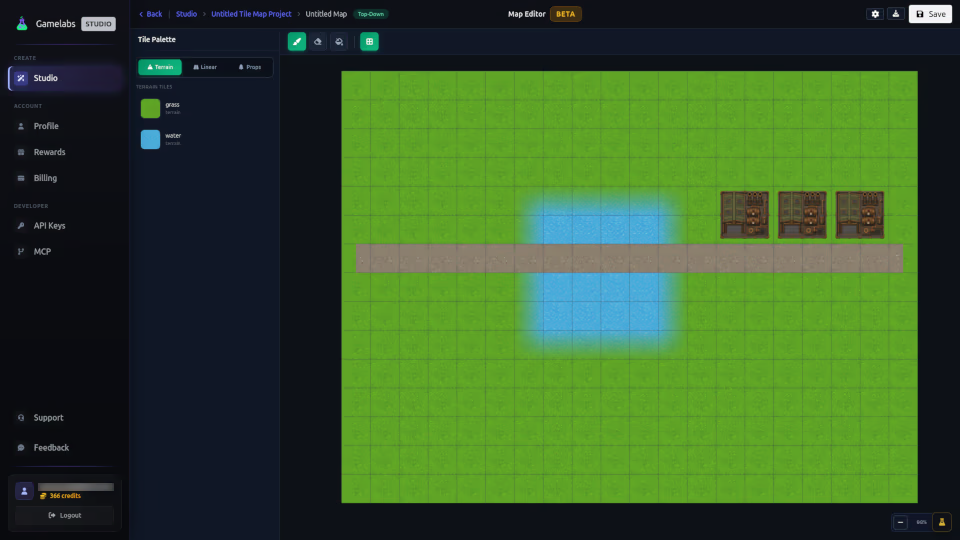
Select the Terrain layer and a palette entry, then use brush, fill, or erase tools. Use Overlay for secondary tile content above terrain. Use Props for footprint-aware object placement.
Settings
Grid width and height define map cells. Tile width and height define export resolution per cell. Changing these after significant painting can affect output scale, so set them early.
Save and export
Save explicitly after edits. Export the tileset PNG for engine slicing, Map JSON for layout data, and Map Image for a flattened preview or backdrop.