Side-Scrolling and Parallax Maps
Assemble background segments, tile grids, props, extensions, and parallax scenery into scrolling levels.
Use side-scroll mode for
Side-scrolling projects suit platformers, runners, beat-em-ups, and scrolling background scenes. Instead of painting one orthogonal terrain canvas, the editor assembles an ordered strip of segments.
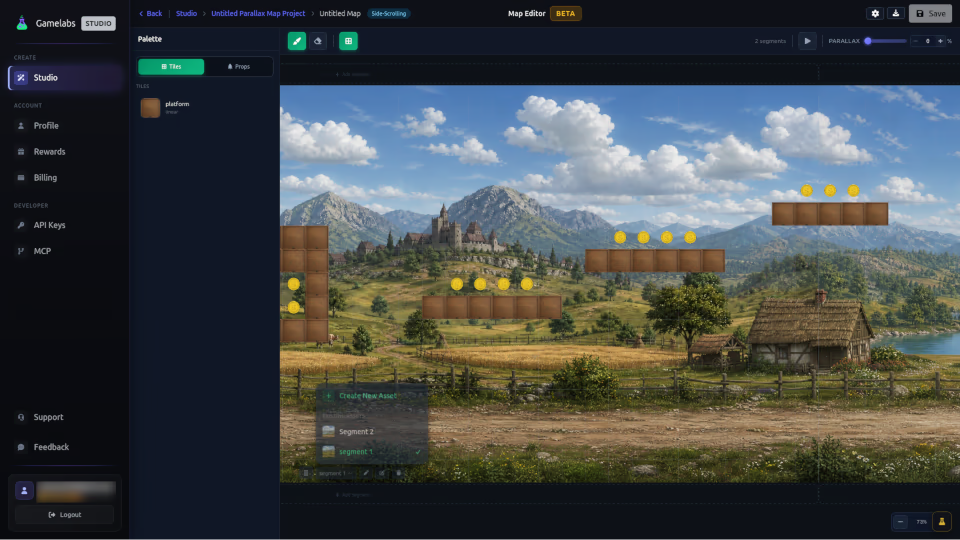
Background segments
Create wide horizontally tileable scenery or parallax sources and assign BG. Keep horizon, lighting, and edge content compatible across segments. Add, reorder, replace, and remove segments in the strip.
Tiles and props
Assign Tiles to playable or decorative segment-grid content and Props to discrete objects. Set prop footprints so placement matches occupied cells.
Extension workflow
Open a segment from the map editor and use Extend Left or Extend Right. Neighbor context helps the generator continue colors and forms across the join. Inspect the seam at full resolution after generation.
Parallax workflow
Create a source with clear foreground, midground, and background depth. Split it in Freeform, then move layers at different speeds in the game engine. The Map Editor organizes segments; final runtime parallax speed is engine-specific.
Save and export
Save segment order and per-segment grid changes. Export JSON for structure and image outputs for visual assets or previews.